
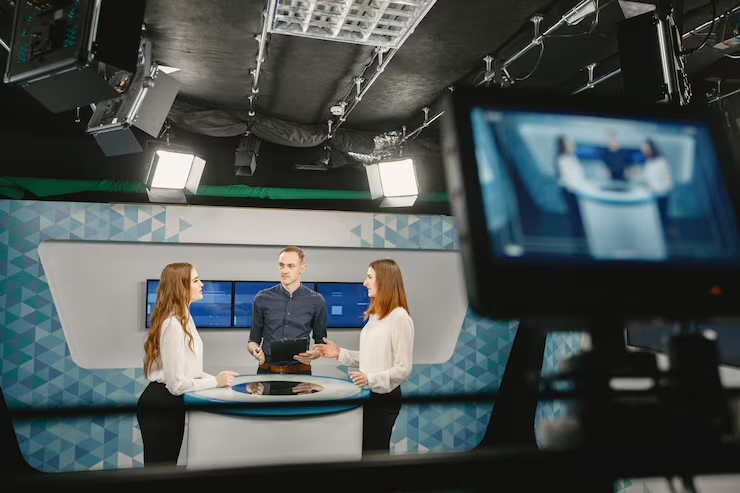
Live Event Broadcasting Setup: Equipment and Process Explained
Live Event Broadcasting Setup, Broadcasting a live event, whether it is a corporate conference, a government summit, a product launch, or a large cultural gathering, requires careful planning, the right equipment, and a team that knows how to manage everything in real time without stopping to fix mistakes. Unlike recorded video production, live broadcasting gives you no second chances. What goes out on air or stream is what the audience sees, and getting it right requires understanding the full setup from camera to screen.
This guide explains exactly what equipment is needed for a professional live event broadcast, how the process works from start to finish, and what can go wrong if any part of the setup is not handled correctly.
Table of Contents
What Is Live Event Broadcasting?
Live event broadcasting is the process of capturing what is happening at an event in real time and transmitting it to an audience watching remotely through a television channel, a live stream, a social media platform, or a private viewing link. The audience sees the event as it happens with no delay beyond the technical transmission time, which is usually a few seconds.
This is fundamentally different from recording an event for later editing and release. In live broadcasting, every camera shot, every audio level adjustment, and every on-screen graphic must be managed as it happens. The director calls the shots in real time. The vision mixer cuts between cameras as instructed. The sound engineer controls audio levels continuously. The encoder sends the signal out to the transmission destination. All of this happens simultaneously and without stopping.
Hamza’s Production’s broadcasting services cover the complete live broadcast setup and execution process for events across Pakistan and Dubai, handling everything from equipment installation through live direction, signal transmission, and post-event delivery of the recorded broadcast.
Why Live Broadcasting Matters for Events Today
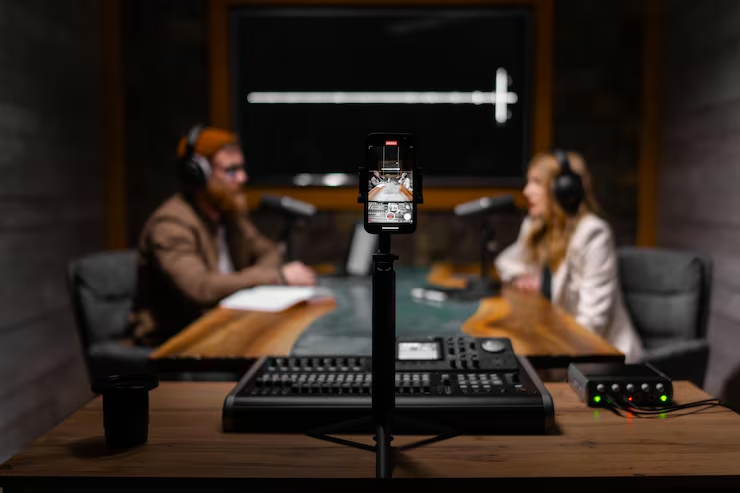
The audience for any significant event is no longer limited to the people physically present in the room. Government policy announcements, corporate annual general meetings, international conferences, university graduation ceremonies, and large cultural events all have audiences that extend well beyond the venue capacity.
According to Think with Google, live video content generates significantly higher engagement than pre-recorded video across most platforms, and audiences watching live events report a stronger sense of connection and involvement than those watching the same content after the fact. This makes live broadcasting not just a technical convenience but a genuine communication tool that extends the reach and impact of any event.
For Pakistani organizations that regularly host conferences, summits, and government functions, the ability to reach a wider national or international audience through professional live broadcasting has become a standard expectation rather than an optional upgrade.
The Core Equipment Needed for a Live Event Broadcast
A professional live event broadcast requires a specific set of equipment working together as a system. Each component plays a distinct role, and a weakness in any single component affects the quality of the entire output.
The main categories of equipment are cameras, a video switcher or vision mixer, audio equipment including microphones and mixers, a broadcast encoder, a graphics system, lighting, and the connectivity infrastructure that carries the signal from the venue to the viewing audience. Understanding what each of these does and why it matters is the starting point for any well-planned live broadcast.
Cameras: How Many and What Type?
The number and type of cameras used in a live broadcast depends on the scale and nature of the event. A small corporate webinar might be covered with a single fixed camera. A large international conference or government summit requires multiple cameras covering different angles and subjects simultaneously.
Most professional live broadcasts use at least three cameras as a baseline: one wide shot that establishes the overall scene, one medium shot that follows the primary speaker, and one close-up camera for tight shots of faces and details. Larger events add additional cameras for audience reaction shots, panel shots covering multiple speakers at once, cutaway shots of presentation screens, and roving handheld cameras that capture candid moments from different positions around the venue.
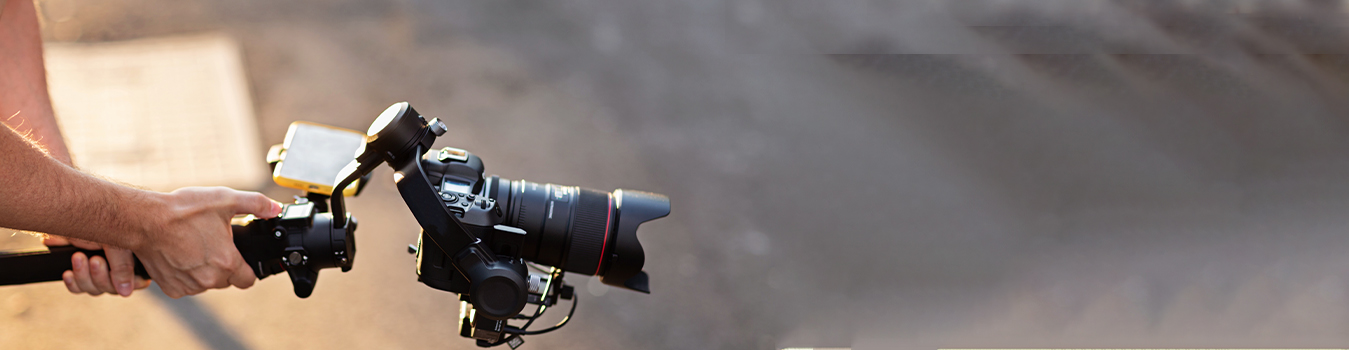
Broadcast-grade cameras are used rather than standard photography cameras because they are designed to maintain consistent color, exposure, and image quality across long continuous shooting periods, they connect directly to the broadcast production infrastructure through professional video cables and protocols, and they can be operated remotely or adjusted by the vision control engineer to ensure all cameras match visually.
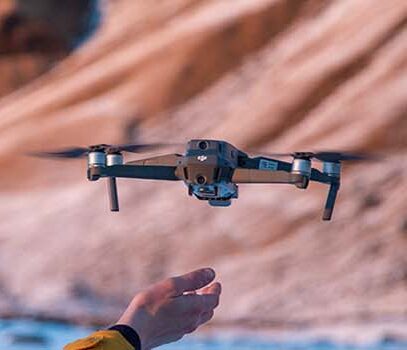
For large outdoor events or events where aerial coverage adds value, Hamza’s Production’s drone photography and videography capability can be integrated into a live broadcast to provide aerial perspectives that ground-level cameras cannot achieve.
Video Switchers and Vision Mixing
The video switcher, also called a vision mixer, is the central piece of equipment in any live broadcast. It receives the feeds from all cameras and other video sources and allows the director’s chosen shot to be selected in real time and sent out as the program output.
A vision mixer operates by cutting, dissolving, or transitioning between camera feeds as directed. When the director says cut to camera two, the vision mixer operator presses the corresponding button and the output switches immediately to that camera. This happens multiple times per minute throughout a broadcast, and the precision and timing of these cuts is what gives a live broadcast its professional feel.
Professional vision mixers also handle the integration of graphics overlays, lower-third text bands, picture-in-picture windows, replay clips, and presentation feeds from laptops or presentation screens. Everything the audience sees on the final output passes through the vision mixer.
Audio Equipment for Live Broadcasting
Poor audio quality will cause viewers to stop watching a live broadcast faster than almost any visual problem. Audio is the most important technical element of any live broadcast from the audience experience perspective, and it is often the area where under-resourced broadcasts fall short.
A professional live broadcast audio setup includes microphones for every speaker, including lavalier clip-on microphones worn on the body for presenters who move around, handheld microphones for speeches and panel sessions, and podium microphones for formal address positions. All of these feeds are managed through a professional audio mixing console operated by a dedicated sound engineer.
The sound engineer’s job during a live broadcast is to monitor all audio inputs continuously, adjust levels as speakers change and room acoustics shift, eliminate feedback and background noise, and ensure that the audio going into the broadcast encoder is clean, properly leveled, and consistently professional throughout the event.
According to the Institute of Electrical and Electronics Engineers, audio synchronization in live broadcast production requires precise technical management to prevent the delay between the audio signal and the video signal from becoming noticeable to viewers, which is one of the technical challenges that professional broadcast engineers manage as a routine part of their live setup process.
Encoding and Streaming Technology
Once the vision mixer has selected the program output and the audio mixer has prepared the audio track, this combined audio-visual signal needs to be encoded and transmitted to wherever the audience is watching.
An encoder is the device or software that converts the high-quality broadcast signal into a compressed format suitable for internet streaming or satellite transmission. The encoder compresses the video and audio into a stream that can be sent reliably over the available internet connection or satellite link to the viewing platform.
For internet streaming, the encoder sends the stream to a streaming platform such as YouTube Live, Facebook Live, Zoom, or a private video hosting service, where it becomes available to viewers who have the link or access permission. For television broadcast, the signal goes through a satellite uplink or fiber connection to the broadcasting channel’s transmission center.
The encoder settings, including the bitrate, resolution, frame rate, and codec used, must be matched to the destination platform’s requirements and the available bandwidth at the venue. An encoder set too high for the available internet bandwidth will cause the stream to buffer and drop frames for viewers, which is one of the most visible and damaging technical failures in a live broadcast.
Lighting for Broadcast Quality Output
Cameras record what light shows them, which means that inadequate or poorly designed lighting at an event venue will produce poor broadcast quality regardless of how good the cameras are. Broadcast lighting for live events requires specific consideration of the color temperature of the light sources, the direction and intensity of light on the primary subjects, and the overall balance of brightness between the stage, the speakers, and the backgrounds visible in the frame.
Indoor venues typically use existing venue lighting supplemented with additional broadcast-grade LED or tungsten lighting rigs positioned to ensure that speakers’ faces are well-lit from the camera’s perspective. The goal is even, flattering illumination that allows the camera’s exposure to remain consistent without constantly adjusting for changing light levels as different people speak in different positions.
Outdoor events or large venues with complex lighting environments require more extensive lighting planning and may involve coordination with the venue’s existing technical team to adjust the in-house lighting to broadcast-appropriate settings.
Graphics, Lower Thirds, and On-Screen Text
A professional live broadcast includes on-screen graphics that identify speakers, provide context, display data or statistics, and reinforce the event’s branding. These are produced by a dedicated graphics system that feeds additional visual layers into the vision mixer to be overlaid on the program output in real time.
Lower thirds are the text bands that appear in the lower portion of the screen identifying who is speaking and their title or organization. These need to be prepared in advance for every person who will appear on camera and triggered at the correct moment during the broadcast. Other graphics might include event titles, logo animations, agenda items, statistical displays, and transition slides between segments.
Broadcast graphics must be prepared accurately and in advance, checked against the final list of speakers and their correct names and titles, and operated by someone who knows the event program well enough to trigger the right graphic at exactly the right moment during the live broadcast.
Internet Connectivity and Signal Reliability
The reliability of the internet connection at the event venue is one of the most critical and most frequently underestimated factors in live streaming success. A professional live broadcast requires a dedicated, high-bandwidth internet connection that is not shared with the general event Wi-Fi or other users during the broadcast period.
For important live broadcasts, professional broadcast teams use multiple redundant internet connections from different providers simultaneously, with automatic failover systems that switch to the backup connection if the primary drops. This redundancy is what separates a professional live broadcast setup from an amateur one, and it is the difference between a smooth continuous stream and one that repeatedly buffers and drops out during critical moments.
For events in locations where reliable internet connectivity cannot be guaranteed, satellite uplink technology provides an alternative transmission path that does not depend on terrestrial internet infrastructure. This is commonly used for outdoor events, events in remote locations, and broadcasts where signal reliability is critical to the event’s success.
The Live Broadcasting Team: Who Does What?
A professional live event broadcast requires a team of specialists working in coordinated roles simultaneously throughout the production. Understanding these roles clarifies why live broadcasting cannot be handled by a small general-purpose crew.
The director is responsible for all creative and editorial decisions during the broadcast, calling the camera shots, directing the vision mixer, and guiding the overall pace and feel of the output. The vision mixer operator executes the director’s shot calls, cutting between cameras and triggering graphics as instructed. The sound engineer manages all audio inputs and outputs throughout the event. The encoder operator monitors the streaming signal and manages the connection to the transmission destination. The graphics operator prepares and triggers all on-screen text and visual overlays. Camera operators position and operate each camera according to the director’s needs.
For large events, additional roles include a floor manager who coordinates between the production team and the event organizers on the ground, and a technical director who oversees the overall technical infrastructure of the broadcast setup.
The Broadcasting Process Step by Step
A professional live event broadcast follows a structured process that begins long before the event starts and continues after the transmission ends.
The process begins with a technical survey of the venue, where the broadcast team assesses the available power supply, the internet connectivity, the lighting conditions, the acoustics, and the camera positions available for the specific event layout. This survey informs the equipment specification and the technical plan for the broadcast.
Equipment installation and testing happens on the day or the day before the event, covering camera positioning and cabling, audio setup and microphone testing, vision mixer and graphics system configuration, encoder setup and test streaming, and lighting rig installation and adjustment. A full rehearsal run-through tests every component of the system together before the live broadcast begins.
During the event, the broadcast team operates continuously, with the director, vision mixer, sound engineer, encoder operator, and camera operators all working simultaneously in real time. After the broadcast, the recorded program is prepared for delivery to the client alongside any post-event editing or highlight compilation required.
Common Live Broadcasting Problems and How to Avoid Them
Several problems appear consistently in live broadcasts that are not properly set up or that are managed by inexperienced teams.
Audio feedback, the high-pitched squeal caused when a microphone picks up the sound from its own speaker output, is one of the most disruptive live broadcast failures and one that is entirely preventable through proper microphone placement, speaker positioning, and audio system configuration before the event begins.
Stream drops, where the live internet stream cuts out and leaves viewers with a buffering screen, are caused by insufficient or unreliable internet bandwidth. The solution is a dedicated connection with sufficient bandwidth and a backup connectivity system.
Camera exposure problems, where one or more cameras are noticeably brighter or darker than others in a multi-camera setup, are caused by inadequate color and exposure matching during the setup period. Every camera in a broadcast setup must be matched to a consistent technical standard before the live broadcast begins.
Poor graphic accuracy, where speaker names are misspelled, titles are incorrect, or graphics appear at the wrong time, is caused by inadequate preparation and insufficient rehearsal of the graphics operation. Preparing and checking graphics thoroughly before going live prevents this entirely avoidable category of error.
Live Broadcasting for Corporate Events, Conferences, and Government Functions
Live broadcasting requirements vary significantly by event type, and understanding these differences helps organizations brief their broadcasting partner accurately.
Corporate annual meetings and AGMs require clean, formal broadcast setups that reflect the professional standing of the organization. Multiple cameras cover the main presentation stage, the board panel, and the shareholder floor. Audio management must handle both formal speeches and floor questions. Graphics identify speakers and display financial data or presentation content.
International conferences and government summits have additional requirements around security of the transmission, simultaneous interpretation audio channels, and the integration of remote participant video feeds from delegates joining digitally. These events also typically require coordination with multiple organizational stakeholders who each have specific requirements for how the broadcast is presented.
Hamza’s Production has direct experience covering major government and institutional events including UN Peacekeeping Ministerial meetings, SCO Simulation Conferences, and diplomatic cultural events hosted by international embassies in Pakistan, giving them practical knowledge of the specific technical and protocol requirements these events demand. Their corporate events coverage and event management services work in direct coordination with their broadcasting team to provide a fully integrated live production service for high-profile events.
How Hamza’s Production Handles Live Event Broadcasting in Pakistan and Dubai
Hamza’s Production’s broadcasting service provides complete live event broadcast setups for organizations across Islamabad, Lahore, Karachi, and Dubai. Their team handles every stage of the broadcast process from the initial technical survey through equipment installation, camera operation, vision mixing, audio management, encoding, live streaming, and post-event recorded delivery.
Their broadcasting experience spans government summits, corporate conferences, international cultural events, product launches, university events, and large public gatherings. This breadth of experience means their team is familiar with the specific technical requirements of different event types and can adapt their setup and approach to the specific demands of each commission.
For organizations that also need corporate profile videos or documentary-style content produced from the same event alongside the live broadcast, Hamza’s Production coordinates both production streams simultaneously, ensuring that the live broadcast and the recorded deliverables are both handled to the same professional standard from a single integrated team.
Final Thoughts: Getting Your Live Broadcast Right the First Time
Live event broadcasting leaves no room for significant errors. The combination of the right equipment, a well-planned setup, an experienced team working in coordinated roles, and thorough pre-broadcast testing is what separates a broadcast that runs smoothly and reflects well on the organization from one that drops frames, loses audio, or goes dark at a critical moment.
Every component of a live broadcast setup matters, from the cameras and the switcher through the audio system, the encoder, the graphics, the lighting, and the internet connection. And the team managing each of these components in real time must have the experience and the coordination to respond to problems instantly without disrupting the broadcast.
For organizations in Pakistan and Dubai planning live broadcasts for corporate events, government functions, conferences, or large public gatherings, Hamza’s Production provides the full technical setup, experienced crew, and proven broadcast management that gives every event the live broadcast quality it deserves.



Leave a Reply